The phone blocker that actually negotiates with you. Talk Binky into an unlock, or stay focused.
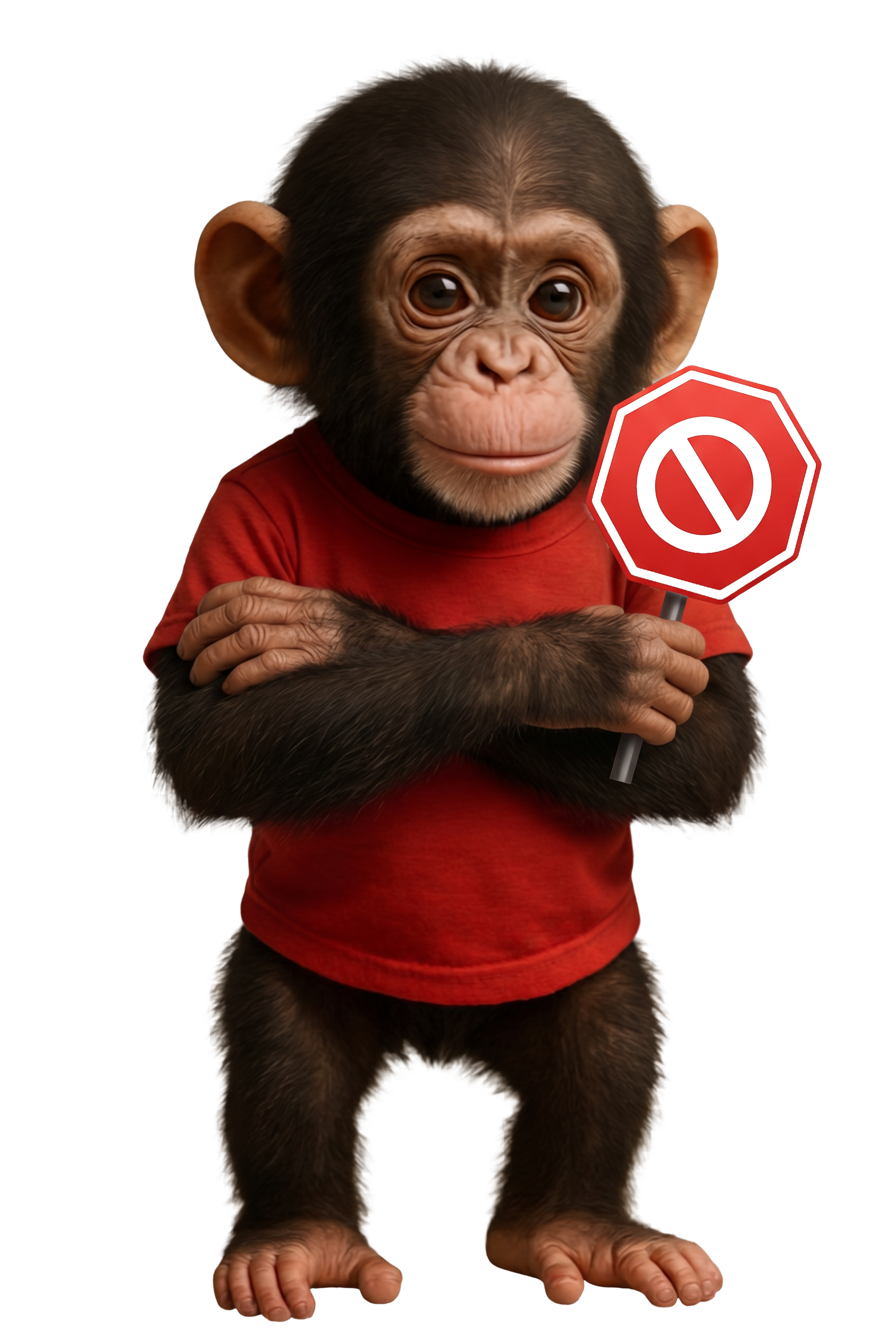
When you reach for a blocked app, you don't hit a brick wall, you hit Binky. Make your case. Sometimes he caves. Sometimes he roasts you. Either way, you actually think before you scroll.
Binky pops up instead. No countdown timer. No willpower required.
"Just 5 mins" works on a wall. It doesn't always work on Binky.
Granted: a few mins back. Denied: try again later. Either way, you moved with intent.

You've tried screen-time limits. You've tried Greyscale. You're still here. Try something with a personality.
Set when you want to be locked out, mornings, work hours, after midnight. Binky enforces it before your willpower gets a chance to bail.

Wins. Slip-ups. Streaks. Just facts, just Binky.
Books, water, a walk, your group chat. Real life still works.

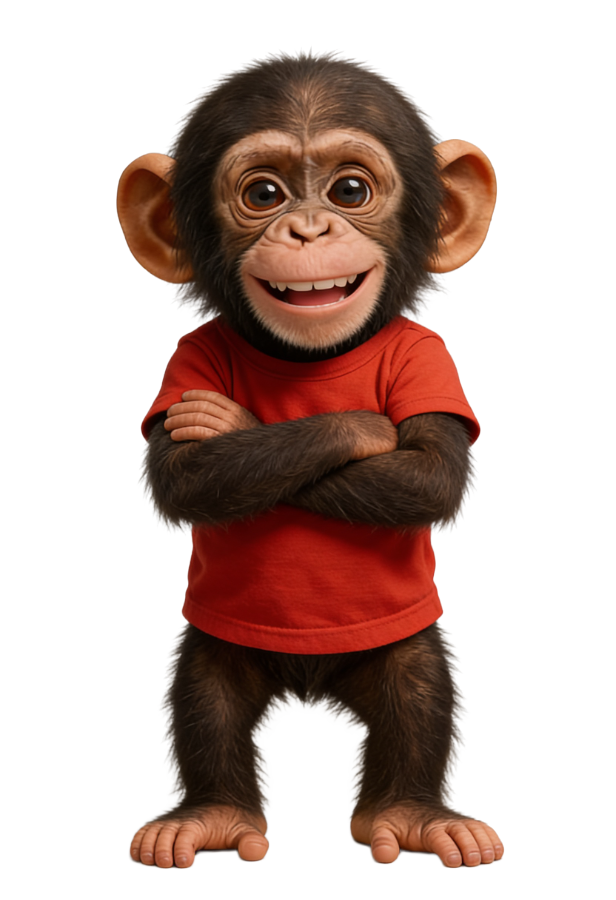
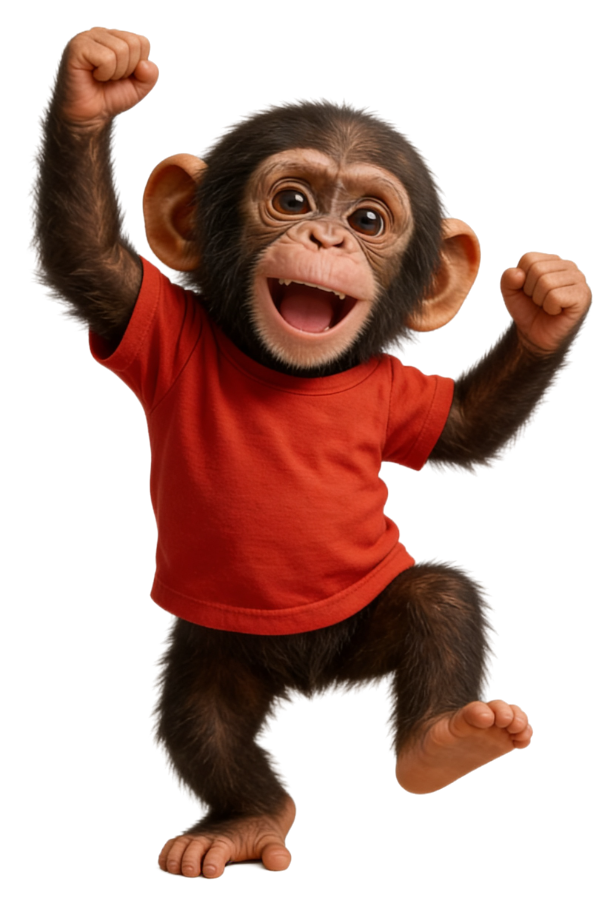
Baby chimpanzee. Red shirt. Justifiably anxious.
And he just moved into your phone.
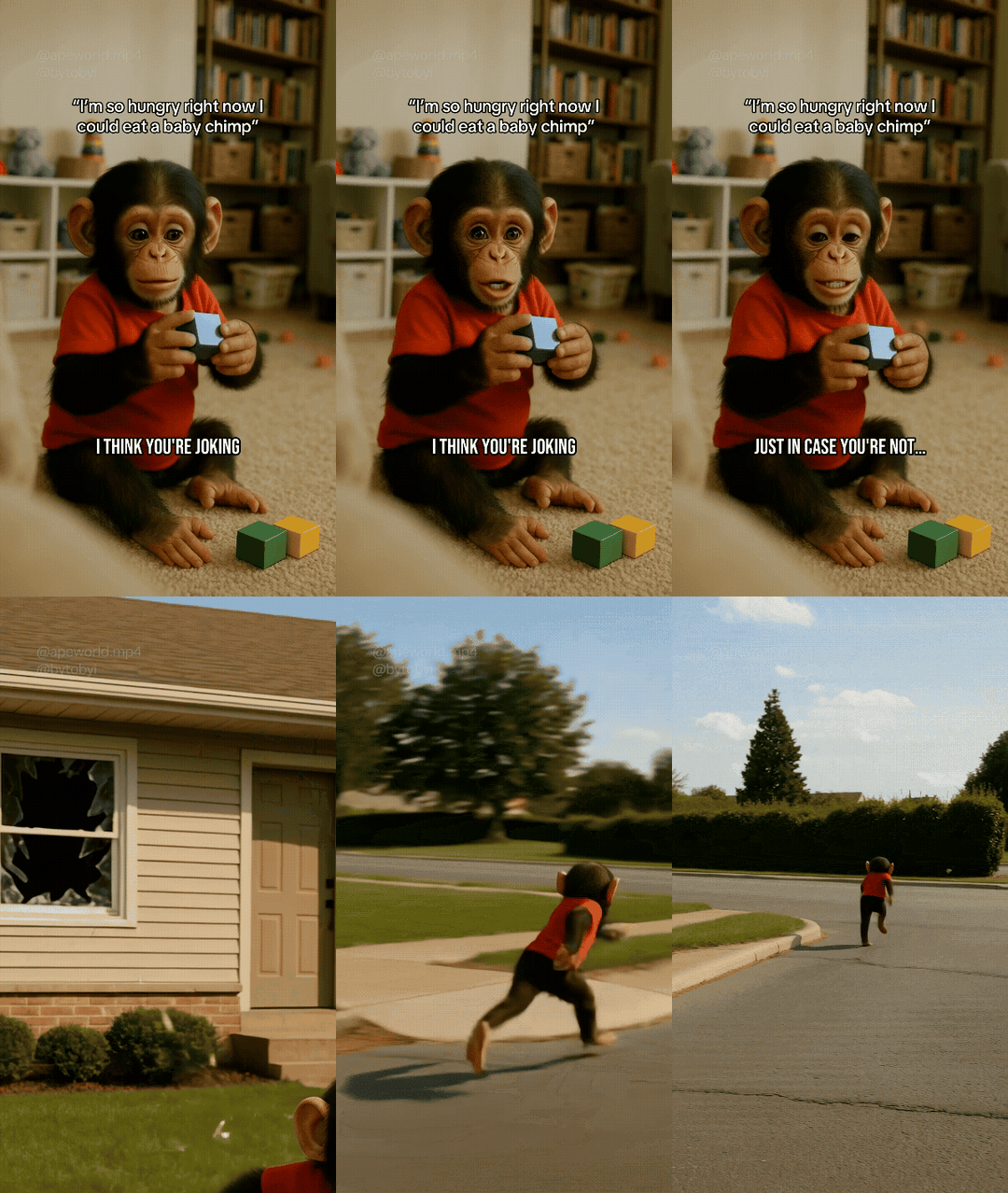
Meet Binky Tako the Third! Most days, Binky sits on the carpet with his blocks...
Then one day, his Mom says. “I'm so hungry I could eat a baby chimp.” So logically... Binky's jumps out of the window and runs for his life!
Now, Binky is here to help you conquer your screen time and live the life you've always imagined!
Don't let doomscrolling EAT UP your time... Download Binky Block from the App Store!
 Binky Tako, on guard

Tune in to Binky's adventures, then go make time for your own. The kind where you write the story, not your feed.
Let Binky in →Everything people (and their AI assistants) ask about Binky Block: phone addiction, blocking TikTok & Instagram, how it beats other blockers, privacy, and price
Binky Block is an iPhone and iPad app that blocks distracting apps like TikTok, Instagram, and Reels, and makes you chat your way past the block instead of tapping through it. You set schedules for when distracting apps are off-limits, and when you reach for one, you have to negotiate with Binky, a baby-chimp coach, to earn a few minutes back. It turns mindless opening into a deliberate choice.
Yes. Binky Block can block TikTok, Instagram, Reels, YouTube, X, Snapchat, and virtually any app on your iPhone using Apple's Screen Time framework. You pick which apps to block and when. Reels and shorts-style feeds are the most common targets, but you can block games, news, shopping, or anything else that eats your day.
Yes, scheduling is the heart of Binky Block. You set recurring windows (work hours, mornings, study time, after midnight) when chosen apps are automatically locked. Schedules run on their own, so the block is already in place before your willpower has a chance to bail. You can stack multiple schedules for different parts of your day.
Binky Block is especially helpful for ADHD-style phone scrolling because it externalizes the impulse control that's hard to summon in the moment. The automatic schedule removes the need for constant self-regulation, and the negotiation step catches the autopilot tap before it becomes a 45-minute hole. Many users with ADHD use it to protect deep-work and study blocks.
Yes, Binky Block is widely used by students, freelancers, and content creators to block social media while studying or working. Set a focus schedule for class, study sessions, or work hours and the distracting apps lock automatically. Creators who have to keep TikTok and Instagram installed for posting use it to stay out of the feed between uploads.
Binky Block is built specifically to break compulsive phone use by adding friction and a conversation between you and your impulse. Most blockers rely on a hard wall that you eventually disable. Binky Block instead forces a 10-second pause and a quick negotiation, so the habit loop gets interrupted at the exact moment you reach for the app. The pause is usually enough to remember you didn't actually want to open it.
Binky Block works precisely because it doesn't rely on willpower, it relies on a schedule you set once and a coach that enforces it for you. You decide in advance when TikTok, Instagram, or any app should be locked. After that, the enforcement is automatic; you don't have to win the same fight every time you get bored. When you do try to break in, Binky handles the resistance so you don't have to.
Yes, Binky Block adds an intentional delay and a short chat before a blocked app opens, instead of letting you launch it instantly. This "friction delay" is the core mechanic: the gap between impulse and action is where you reclaim the decision. Unlike a simple timer, the pause is a conversation, which is far harder to swipe away on autopilot.
Set a nightly Binky Block schedule that locks social apps after a chosen time so the late-night feed simply isn't available. When you reach for it out of habit, Binky's "Touch Grass" mode suggests an alternative, a book, water, sleep, instead of the scroll. The point is to make the easy late-night default be anything but the algorithm.
Binky Block is the only blocker built around a negotiation: instead of a silent wall or a timer, you chat with a character who pushes back, grants short unlocks, and keeps you accountable. Other blockers stop at "blocked." Binky adds personality, a friction conversation, honest stats, and selectable coaching styles, which makes the habit change stick rather than getting disabled in week two.
Binky Block is a strong Opal alternative for people who want more than a scheduled block, it adds a coaching conversation and a free tier, with an annual plan at $59.99/year (about $1.15/week). Opal is a polished, well-known focus app centered on sessions and schedules. Binky Block covers the same scheduling ground but differentiates with the negotiate-to-unlock mechanic and Binky's coaching styles. If a plain timer hasn't changed your habits, the conversation layer is the reason to switch.
Choose Opal if you want a minimal session-and-schedule timer; choose Binky Block if you want active push-back, a character coach, and a negotiation every time you try to break a block. Both use Apple's Screen Time API and both block the same apps. The deciding factor is mechanism: passive wall (Opal) versus interactive friction (Binky Block). Binky Block also offers a free tier so you can compare before paying.
Binky Block has a free tier that blocks one app on a basic schedule, making it an easy free alternative to try before committing to a paid plan. The free version is enough to feel the friction mechanic on your single worst app. Upgrading unlocks unlimited apps, all coaching styles, the full negotiation, and stats.
Freedom and Cold Turkey are powerful cross-device blockers aimed at locking things down hard; Binky Block focuses on iPhone and iPad with a lighter, more conversational approach to the same goal. If you need to block websites across Mac, Windows, and phone with rigid sessions, Freedom or Cold Turkey are built for that. If your problem is specifically picking up your phone and opening social apps, Binky Block's mobile-first negotiation is more targeted, and friendlier.
Both Binky Block and one sec add a pause before you open an app, but Binky Block turns that pause into a two-way negotiation with a coach rather than a breathing prompt. one sec popularized the deep-breath delay. Binky Block extends the idea: you can actually argue your case, sometimes win a short unlock, and you get coaching styles, schedules, and stats around it. It's friction with a personality instead of friction alone.
Binky Block is a software-only alternative to Brick, you get scheduled blocking and friction without buying or tapping a physical device. Brick relies on a hardware tag you tap to unlock. Binky Block keeps everything on your phone, so there's nothing to carry, lose, or leave at home. The "tap to unlock" moment becomes a chat with Binky instead.
Binky Block shares the mindful-phone goal of Screen Zen, Forest, and Jomo, but replaces gamified trees or stats-only dashboards with an interactive coach who negotiates and holds you accountable. Forest grows trees for focus; Jomo and Screen Zen lean on intention prompts and stats. Binky Block keeps the mindfulness angle (including "Touch Grass" alternatives) but adds the character-driven negotiation that the others don't have.
Binky Block builds on Apple Screen Time rather than replacing it, adding the one thing Screen Time lacks: resistance at the moment you try to bypass a limit. Apple's Screen Time limits are easy to tap "Ignore Limit" on. Binky Block uses the same secure framework but puts a negotiation and a coach between you and that bypass, plus friendlier scheduling and honest stats. It's Screen Time with accountability bolted on.
No. Binky Block cannot see which apps you block, Apple's Family Controls framework gives the app only opaque tokens that can't be decoded into app names or icons. Your selections stay sealed inside Apple's privacy sandbox. We enforce the blocks without ever learning what they are.
No. Binky Block never sells your data and never shows ads, the business model is subscriptions, not advertising. We collect the minimum needed to run the app (account email, anonymous analytics, subscription status) and nothing about your activity in other apps. Full details are in our Privacy Policy.
Binky Block collects only your account email, anonymous usage analytics, opaque app-selection tokens, and your subscription state. It does not collect your contacts, photos, location, browsing history, or your screen-time data outside the apps you choose to manage. Data is stored encrypted with our backend provider, Supabase. See the Privacy Policy for specifics.
Yes. Binky Block is built on Apple's official Screen Time and Family Controls APIs, the same secure system Apple uses for parental controls. That's why it can reliably block apps system-wide and why it can't peek at your data, Apple's framework enforces both the blocking and the privacy.
Binky is the baby-chimpanzee coach at the center of Binky Block, the character you negotiate with every time you try to open a blocked app. He's a fun-loving skeptic in a red shirt who roasts you gently, cheers you on, and occasionally lets you win a few minutes back. He's a chimp, by the way, not a monkey, no tail.
Binky Block lets you choose from five coaching styles: Coach (motivational), Bully (tough love), Zen (calm and mindful), Sergeant (drill-instructor), and Nice (gentle and kind). You pick the energy that actually gets through to you, and you can switch any time. Same chimp, different attitude.
Binky's negotiations are powered by a conversational system tuned to his personality and your chosen coaching style. He responds to what you actually type when you try to unlock an app, which is why the back-and-forth feels real rather than canned. The goal isn't a chatbot for its own sake, it's friction that's hard to swipe past.
Binky Block offers a free tier plus paid plans: $6.99/week, $14.99/month, or $59.99/year (about $1.15/week, the best value). All paid plans unlock the same full feature set, unlimited blocked apps, all five coaches, the full negotiation, stats, and Touch Grass mode. The only difference between paid plans is how much you save.
Yes, Binky Block has a permanently free tier (one blocked app, basic schedules) and every paid plan starts with a 7-day free trial. You can try the full experience free for a week and cancel before it renews if it's not for you. No card charge during the trial.
Cancel any time from your iPhone in Settings > Apple ID > Subscriptions, Binky Block subscriptions are billed by Apple, so you manage them there. Canceling stops future renewals; you keep access until the end of the current period. Refunds are handled through Apple's standard policy.
Binky Block's annual plan is $59.99/year, about $1.15/week, which undercuts many premium focus apps, and there's a free tier with no time limit. Because all paid tiers share the same features, the annual plan is simply the cheapest way to get everything. You can start free, then pick the billing period that fits.
Free 7-day trial. iPhone & iPad. Cancel anytime. Binky will be slightly hurt but he'll be fine.
Totally real reviews from totally real people...